
Cybersecurity & Resilience
How can access control integrate with other building systems?
How access control integrates with HR, visitor, lift, BMS and fire systems, and which system holds authority in each case.
Collect only the visitor data the process needs, and design what happens when the system is unavailable.
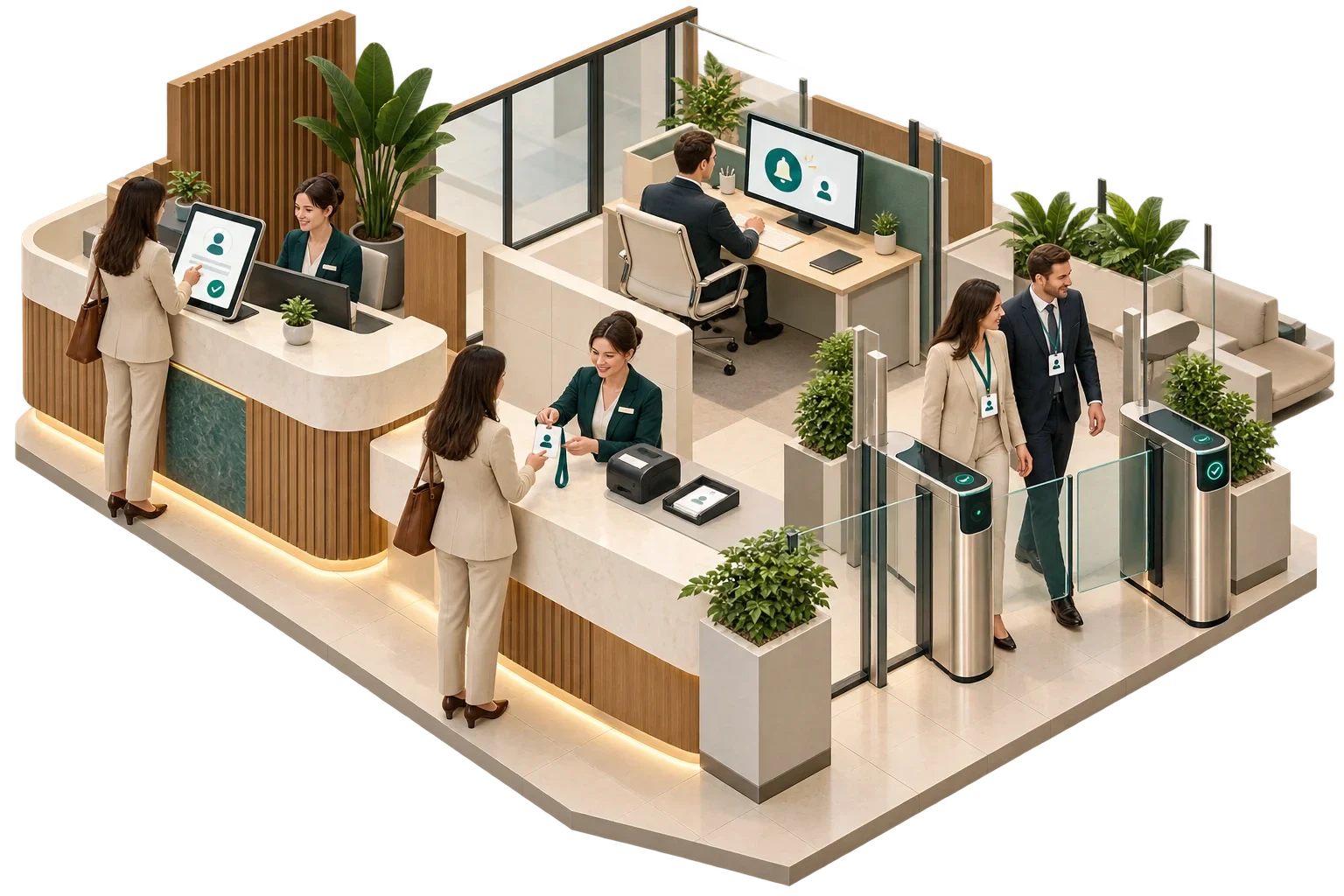
A smart visitor management system replaces the paper signing-in book with a digital process. A host invites the visitor in advance; the visitor receives instructions and a code, checks in at reception or a kiosk, and the host is notified; the system issues a badge or temporary credential that may also open specific doors or lift floors; and on departure the credential is cancelled and the visit recorded. Done well, it speeds up arrival, gives reception an accurate list of who is on site and reduces the number of uncontrolled credentials in circulation.
The kiosk, though, is the least important part of the design. The decisions that matter concern what personal data you collect, how temporary access is granted and removed, and how the system behaves when it fails.
The visit begins before the visitor arrives. A host registers it through a web portal, a calendar integration or reception, and the system sends the visitor arrival details, site rules and often a QR code. On arrival the visitor scans the code or is checked in by reception. Some systems print a badge; others issue a mobile or card credential. The host is told by email, chat tool or phone that their guest is waiting.
If the system is integrated with access control, the visitor's credential is valid only for specified doors, turnstiles or lift floors, and only for the period of the visit. Meanwhile reception can see who is in the building, and in an evacuation the visitor list supports roll-call alongside the fire wardens' procedures. Checking out cancels the credential; if the visitor leaves without doing so, the credential should expire automatically. The record of the visit is then kept for an agreed period before being deleted or anonymised.
Hotels apply the same principles to contractors, suppliers and event guests, usually with different rules from those for residents.
A visitor system processes personal data, so data protection law applies. In the EU that means the GDPR; other jurisdictions have their own laws, such as the UK GDPR and the UAE's Federal Decree-Law No. 45 of 2021 on the protection of personal data. Taking the GDPR as the example, its principles in Article 5 include purpose limitation, data minimisation and storage limitation, and Article 13 requires visitors to be told, when their data is collected, who is processing it, why, on what legal basis and for how long it will be kept.
That makes every field on the check-in screen a decision to be justified:
| Data | When it is usually justified |
|---|---|
| Name, host and visit time | Usually justified for security and safety |
| Company and phone number | May be justified for contact and emergency purposes |
| Photograph | Only with a clear reason, such as badge verification on a high-security site, and a short retention period |
| Copy of identity document | Collects far more data than most offices need; if identity verification is required, consider checking a document without storing a copy |
| Biometrics (e.g. facial recognition at check-in) | A special category of personal data when used to identify people, with additional legal conditions; a deliberate decision with your data protection adviser, never a default product feature |
Data protection by design and by default, required by Article 25, means configuring the system so that, unless there is a reason to do otherwise, it collects the minimum, keeps it for the shortest time and limits who can see it. Where processing is likely to result in a high risk to individuals, Article 35 requires a data protection impact assessment before processing begins, and your data protection adviser should decide whether that applies. Check, too, where the supplier stores data, and whether visit records are visible to other tenants in a multi-tenant building.
The integration with access control is where convenience and security meet, and the specification needs to settle several points. Authorisation should be bounded: a host should not be able to give a visitor wider access than the host has. Validity should be limited to time windows tied to the visit, with automatic expiry. The choice of credential matters, because printed QR codes, reusable cards and mobile credentials carry different risks, and reusable cards need a return and cancellation process.
Authority should stay where it belongs. The access control system remains the system that decides whether a door opens; the visitor system requests a time-limited credential and should not be able to create permanent access. And revocation has to work in practice: check-out, expiry and manual cancellation should all reach the door controllers promptly, which is something to test, never to assume.
Visitor systems are often cloud services, so decide in advance what happens when the service or the internet connection is unavailable. Four questions cover most of it:
A simple paper or offline fallback, rehearsed with reception, is often enough, provided it does not harden into a permanent way round the controls.
Not every visitor will have a smartphone, read the local language or be able to use a touchscreen kiosk. An assisted route at reception, and a digital journey that can be completed without barriers, belong in the design from the start, not as an afterthought. A system that speeds up most arrivals but strands the visitor who needs help has not improved the building.
Map the visitor journey from invitation to exit, including the day the system is unavailable, and only then watch a product demonstration. Every supplier answer above can be checked against that map, and the security team and the data protection adviser get something concrete to assess.
This article connects to our work on Our services.
We can discuss how this subject fits the project brief.
Contact Pagin Consulting